Browser extension
Translate manga where you read it.
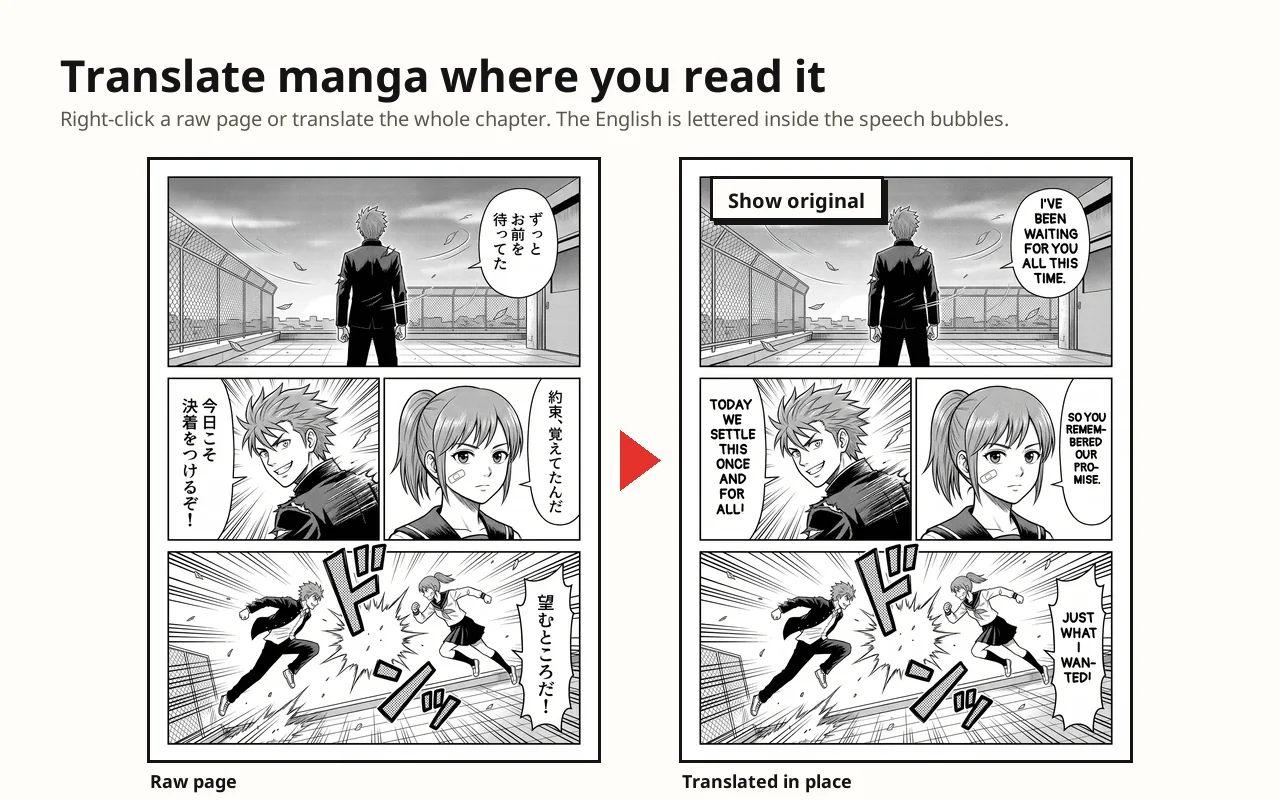
The AI Manga Translator extension translates manga, manhwa and webtoon pages on the sites you read and letters the translation inside the original speech bubbles.
How it works
Three steps to a translated chapter.
1
Install and sign in
Add the extension, then connect it to your AI Manga Translator account. It uses the same page credits as the website, and new accounts get 3 free pages.
2
Open a raw chapter
Right-click any manga page and choose Translate, or open the extension and press Translate this page to translate every page on screen.
3
Read in your language
The translated page replaces the original in place, lettered inside the speech bubbles. Switch back to the original with one click.
Features
Built for reading raw chapters.
Right-click any page
Works on any site you read, without turning anything on first.
Translate this page
One button translates every manga page on screen, two at a time.
Buttons on your sites
Turn the extension on for a site and a Translate button appears on every manga page there.
27 languages, three styles
The same languages, translation styles and lettering fonts as the website, chosen per language.
Never pay twice
The same page with the same settings returns your earlier translation without using another credit.
Asks only what it needs
No access to your browsing by default. A site is added only when you turn it on, and images are sent only when you press Translate.
Questions